500KB GIF
Aim below 500 KB for chat and forum upload limits.


Fewer colors. A lighter loop.
Compress a GIF locally, with an optional file-size target and a preview before downloading.
Drop one GIF here
GIF — up to 20 MB
No GIF handy? Try one:
Drop one GIF into the panel or select it from your device; the compressor accepts files up to 20 MB.
Keep the 64-color default, or enter a KB or MB target and decide whether dimensions and frames may change.
Watch the two previews, read the actual sizes and save the result when the tradeoff works for your animation.
−51%
smaller on this sample
Measured on this original sample with the GifSlim compression engine at 64 colors. Your result depends on the animation; compare both versions before downloading.
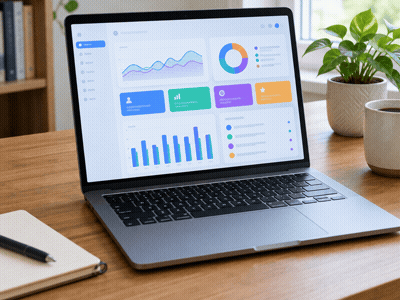
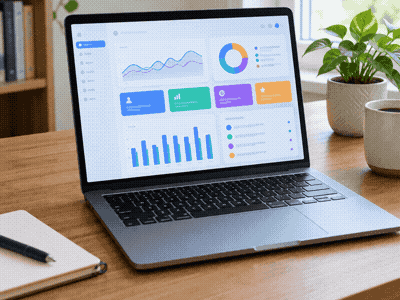 OriginalCompressed
Frame 1 · same moment
Select the animation, enter the limit in KB or MB, and run compression. Smaller dimensions and fewer frames are optional. If the target cannot be reached within those choices, the tool tells you instead of quietly claiming success.
A thumbnail loads one of our original samples and starts processing with this page’s defaults. You can then change the settings and run it again, or remove the sample and choose your own file.
With no target entered, compression works on the palette and redundant frame data. The canvas and animation timing remain intact. Watch the original beside the result to check fine details, gradients and any text you need to preserve.
Look at the smallest lettering, shaded areas and the transition where the loop starts again. A saving can be useful even when it is modest, but a readable diagram is more valuable than squeezing every possible byte from it.
This page starts at 64 colors. You can also choose 32, 128 or 256 after loading a file. Increase the palette when shading matters, or reduce it for a flat graphic; a full palette does not promise pixel-perfect preservation.
No. The compressor returns a smaller file or keeps the original when it cannot save bytes. The comparison shows the actual file sizes, so you can decide whether the change is useful before saving it.
On your device, inside the browser. GifSlim downloads the page and its processing resources, but it does not send your selected media to a server. Close the tab to stop using the workspace.
Pick a starting point for a file limit, a format or a sharing destination; the settings remain editable after you choose a file.
Aim below 500 KB for chat and forum upload limits.
Resize GIFs to fit Discord emoji upload limits.
Target GIFs under 10 MB for email and platform uploads.
Turn iPhone screen recordings into shareable GIFs.
Convert QuickTime MOV screen recordings into GIFs.
Prioritize GIF quality over size when converting MP4.
Convert WebM browser screen recordings into GIFs.
Prepare a smaller GIF for a WhatsApp conversation. Compare quality, check the actual size and choose a supported way to send it.